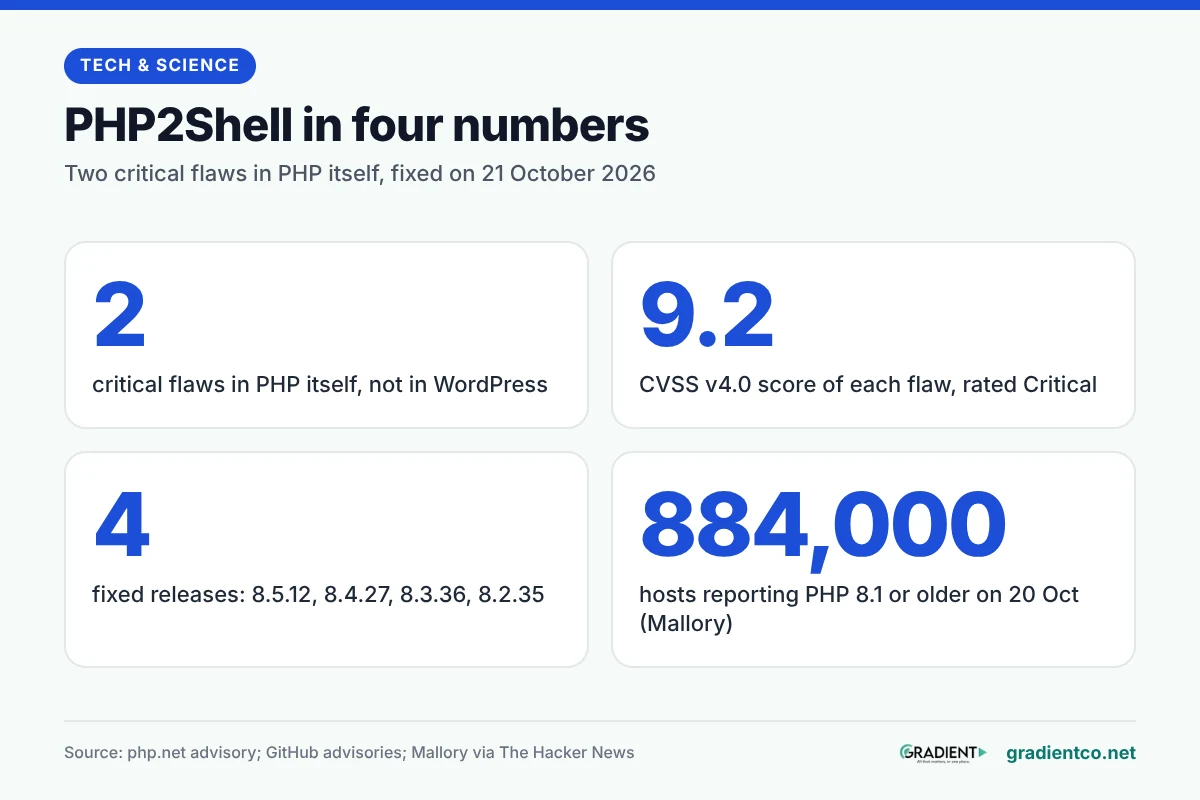
PHP2Shell is the nickname for two critical flaws in PHP, the server language WordPress runs on, that can let an attacker run code on a web server without logging in. The PHP project fixed both on 21 October 2026 in versions 8.5.12, 8.4.27, 8.3.36 and 8.2.35, and its security advisory asks every user to update immediately. If your site runs an older patch level, update now or ask your host to.
What are the two PHP2Shell flaws?
Both are memory-handling bugs inside PHP itself, not in WordPress or a plugin. The weakness sits below your application, so a fully updated WordPress install is still exposed if the PHP underneath isn’t.
The PHP security team describes them in plain terms. CVE-2026-109618 (“RCE via OOM corruption”) happens when PHP runs out of memory midway through setting up a request, and the clean-up step then trusts half-built data. CVE-2026-109619 (“RCE via stale global state”) leaves leftover data from one request in memory after it’s been freed, where a later request handled by the same worker can pick it up.
Each carries a CVSS v4.0 score of 9.2, rated Critical, in the GitHub advisory for CVE-2026-109618 and the one for CVE-2026-109619. The nickname came from researchers, and The Hacker News is blunt about it: “the name is theirs, not PHP’s.”
Which PHP versions fix it?
Four releases close both holes, one per supported branch. Anything below them on the same branch is affected, according to both GitHub advisories.
| PHP2Shell at a glance (as of 22 October 2026) | What the sources say |
|---|---|
| Fixed versions | 8.5.12, 8.4.27, 8.3.36, 8.2.35 (released 21 October 2026) |
| Affected | Every version below those on each branch; 8.1 and older too |
| Severity | Critical, CVSS v4.0 9.2 for each flaw |
| Login needed to attack | No (unauthenticated remote code execution) |
| Highest risk setup | Apache with mod_php |
| Also at risk | PHP-FPM, php-cgi, FrankenPHP, LiteSpeed |
| Complete fix | Only an update; settings changes reduce exposure but do not make a server safe |
| PHP 8.2 end of life | 31 December 2026 |
The branch dates come from PHP’s supported versions page: PHP 8.3 gets security fixes until 31 December 2027, 8.4 until 31 December 2028 and 8.5 until 31 December 2029.
Is your site at risk?
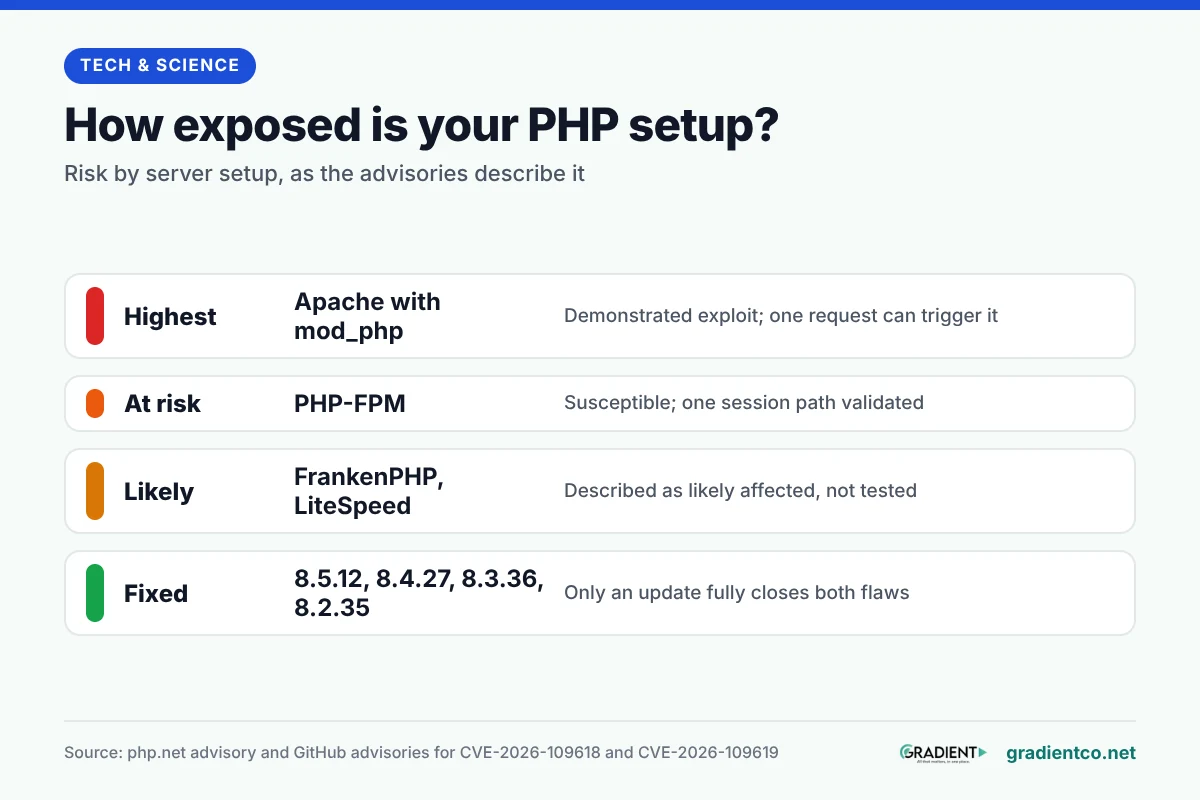
Yes, if it serves web pages through PHP and runs an unpatched version. The php.net advisory lists “all PHP installations serving web requests” as at risk, and names Apache with mod_php as the setup with “a demonstrated exploit”, where one request can trigger the attack before your code even runs. That last detail is the one that worries us most.
PHP-FPM, the other common setup on hosting servers, is susceptible by source analysis, though the first advisory says no complete FPM exploit has been shown. The second advisory did validate one session-related path against both mod_php and FPM. FrankenPHP and LiteSpeed are described as likely affected but not tested.
Reports on attacks differ, so read them with their dates. On 21 October, watchTowr said it was “observing active exploitation attempts” of both CVEs, and its FAQ, updated 22 October, reports exploitation in the wild from its honeypots. Huntress had not seen exploitation on partner systems as of 4:30pm ET on 21 October. CERT-EU says proofs of concept “have begun to circulate,” and products that bundle PHP inside them may be affected too.
How do you check your PHP version?
You need all three numbers, not just the first two, and this is where we expect people to slip. WordPress’s own help page treats 8.3 or higher as fine for everyday use, but for this flaw 8.3.35 is unpatched and 8.3.36 is safe.
On WordPress, the Update PHP page gives the quickest route:
- Log in to your WordPress dashboard.
- Open Tools > Site Health and switch to the Info tab.
- Expand the Server section and read the PHP version line.
- Compare it with the fixed version for your branch in the table above.
The Site Health screen may also show a warning on the Status tab that your site runs an outdated PHP version. Don’t treat a missing warning as a pass: the help page doesn’t say the check looks at security patch levels.
Without WordPress, a page that prints phpversion() shows the version of the PHP that runs your site, according to the PHP manual. Delete that page as soon as you’ve read it. On a server you control, php -v on the command line prints the version and the SAPI, per the command-line docs. The command-line PHP can differ from the one your web server uses, so check the web one as well.
How do you update PHP on your hosting?
Who does the update depends on who runs the server. On shared hosting the host patches PHP for you; on a VPS you do it yourself; on a managed host you confirm it was done.
Shared hosting with cPanel. The MultiPHP Manager lets you tick your domain, pick a version from the PHP Version menu and click Apply. That switches branches, for example from 8.1 to 8.3. The patch level inside a branch is installed by your host, so send them a short message asking whether their PHP packages include the 21 October fixes.
A VPS or dedicated server. Linux distributions and long-term support vendors received the patches before release, the PHP advisory says, so install your distribution’s updated PHP packages. Then restart every PHP worker, as watchTowr advises, so the fix takes effect across the whole server. If you used the volunteer-run remirepo repository, PHP advises switching to distribution packages or building from source, because that repository had no update on release day.

Managed WordPress hosting. Ask your provider in writing which PHP version and patch your site now runs. Don’t rely on the number alone: a host that uses distribution packages with backported fixes may show one that doesn’t match php.net’s.
Before switching branches on any of these, follow WordPress’s checklist: take a backup, update WordPress, themes and plugins, and test compatibility. If the site breaks, ask the host to restore the previous PHP version and then restore your backup. Our guide to installing a major phone update safely follows the same back-up-first logic.
What if you are still on PHP 8.1 or older?
The PHP project no longer ships releases for 8.1 and older, so no official patched version exists. Its security team did publish minimal source backports for 7.4, 8.0 and 8.1, aimed at people who build PHP themselves.
For most site owners the realistic move is to upgrade to 8.3 or newer. WordPress’s requirements page recommends PHP 8.3 or greater and warns that older versions “may expose your site to security vulnerabilities.” Some distributions and paid support vendors backport fixes to old branches, so if you can’t move, ask your vendor. Security firm Mallory counted about 884,000 internet-facing hosts whose banners reported PHP 8.1 or older on 20 October, The Hacker News reports. A banner isn’t proof a host is affected, but that’s still a lot of old PHP facing the internet.
What can you do if you can’t update today?
Reduce exposure, and treat it as a stopgap. php.net is direct: the measures “reduce exposure to specific attack paths but do not make an installation safe.” CERT-EU goes further and suggests taking internet-facing applications off public networks until they are patched.
For whoever manages the server, the advisory lists settings that narrow the known attack paths:
- Turn off session upload progress (
session.upload_progress.enabled=0) in php.ini or the FPM pool, then restart every worker. Setting it from inside the app does not work. - Keep
post_max_sizelow: 8M if the site takes no uploads, 32M if it does. - On PHP 8.5 only, set
fatal_error_backtraces=0and restart workers.
The full list, including memory-limit changes, is in the php.net advisory. On shared hosting you usually can’t change these yourself, which is one more reason to push your host for the patch.
Signs a site was already hit
Look for activity a web server should never produce. The checklist below starts with the four main signs Huntress lists (the commands it means are reconnaissance tools such as whoami), then adds two WordPress checks of our own.
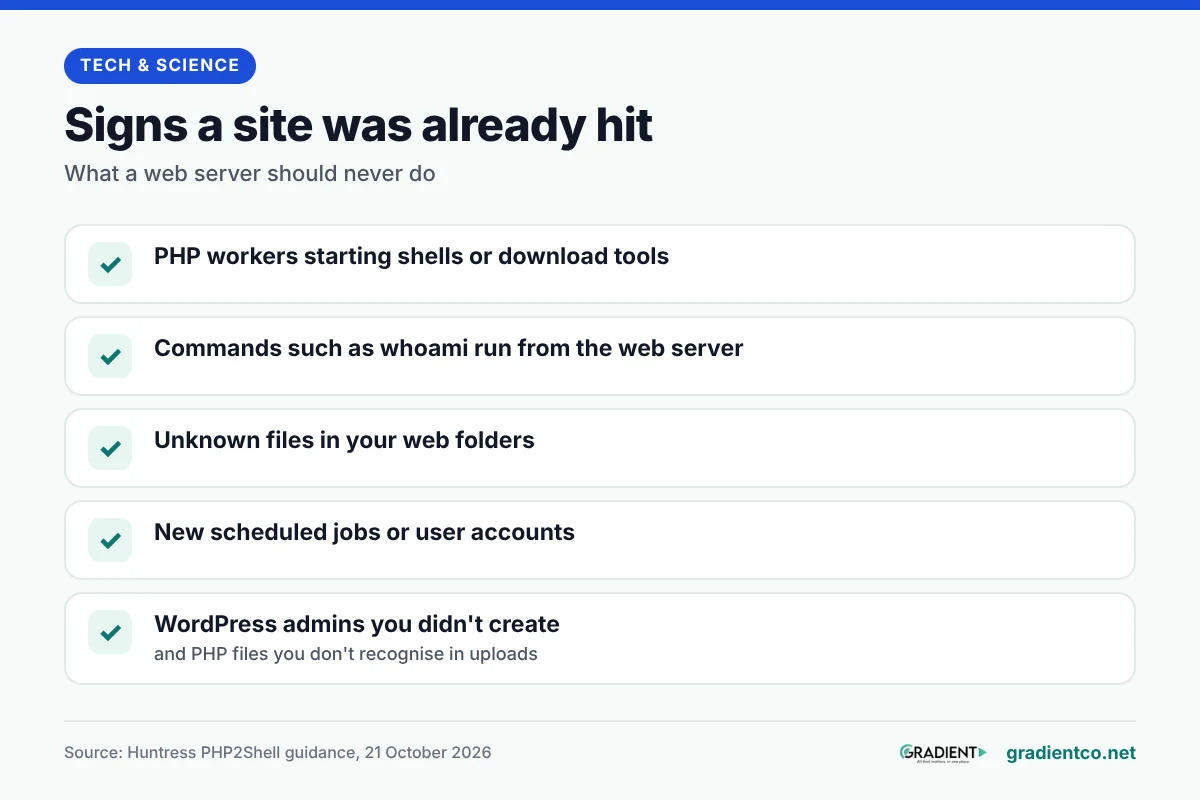
On WordPress, check for administrator accounts you didn’t create and PHP files you don’t recognise in the uploads folder; in our view these are the signs a non-technical owner can spot. If you find anything, isolate the server, as Huntress advises. Keep the web server and PHP logs before you clean up; both Huntress and watchTowr recommend it. Our explainer on common cyber security threats and how to prevent them covers the basics of recovery and prevention.
Frequently asked questions
Is WordPress itself vulnerable to PHP2Shell?
No. The flaws are in PHP, the engine WordPress runs on, so updating WordPress, themes or plugins changes nothing here. The fix has to come from your host or your server’s PHP packages.
Does PHP2Shell affect sites on PHP-FPM?
Possibly, and we’d treat it as affected. The advisories call PHP-FPM susceptible, and one session-related attack path was validated against it, even though no complete FPM exploit had been demonstrated as of 21 October 2026.
Do I need to restart anything after a PHP security update?
Yes, on servers you manage. watchTowr advises restarting every PHP worker after installing the update so the fix takes effect across the whole environment, so restart PHP-FPM or your web server once the new packages are in.
Will changing PHP settings protect my site instead of updating?
Not fully, and one setting is worth keeping after you patch: the advisory for the second flaw suggests leaving session upload progress off if your site doesn’t use it.
Is PHP 8.2 still worth updating to?
Only as a quick fix. PHP 8.2.35 closes both flaws, but the branch stops getting security fixes on 31 December 2026, so plan a move to 8.3 or newer.
What we do not know yet
How widely the flaws are being exploited is still unclear, and neither CVE was in CISA’s catalogue of known exploited vulnerabilities as of watchTowr’s 22 October update. We couldn’t confirm which hosting providers have patched, and we didn’t read any host’s own statement, so we name none. We’ll update this page as official sources add detail.
Read next: if this patch has you rethinking where your site runs, our guide to Amazon Web Services and cloud computing explains the alternative to shared hosting.
Researched and drafted with AI assistance; facts checked against the sources linked in this article.